VISIONDEPTH3D / 2026LOCAL PROCESSING · CINEMA & VR
VisionDepth3D: All-in-one 2D-to-3D suite. Neon cyan and magenta city with a futuristic motorcycle. AI depth mapping, custom stereo logic, depth tools and cinema in VR.
28.2K+Historical downloads
334GitHub stars
3.13Python
2026 · All-in-one 2D-to-3D suite

This is Hybrid 3D.

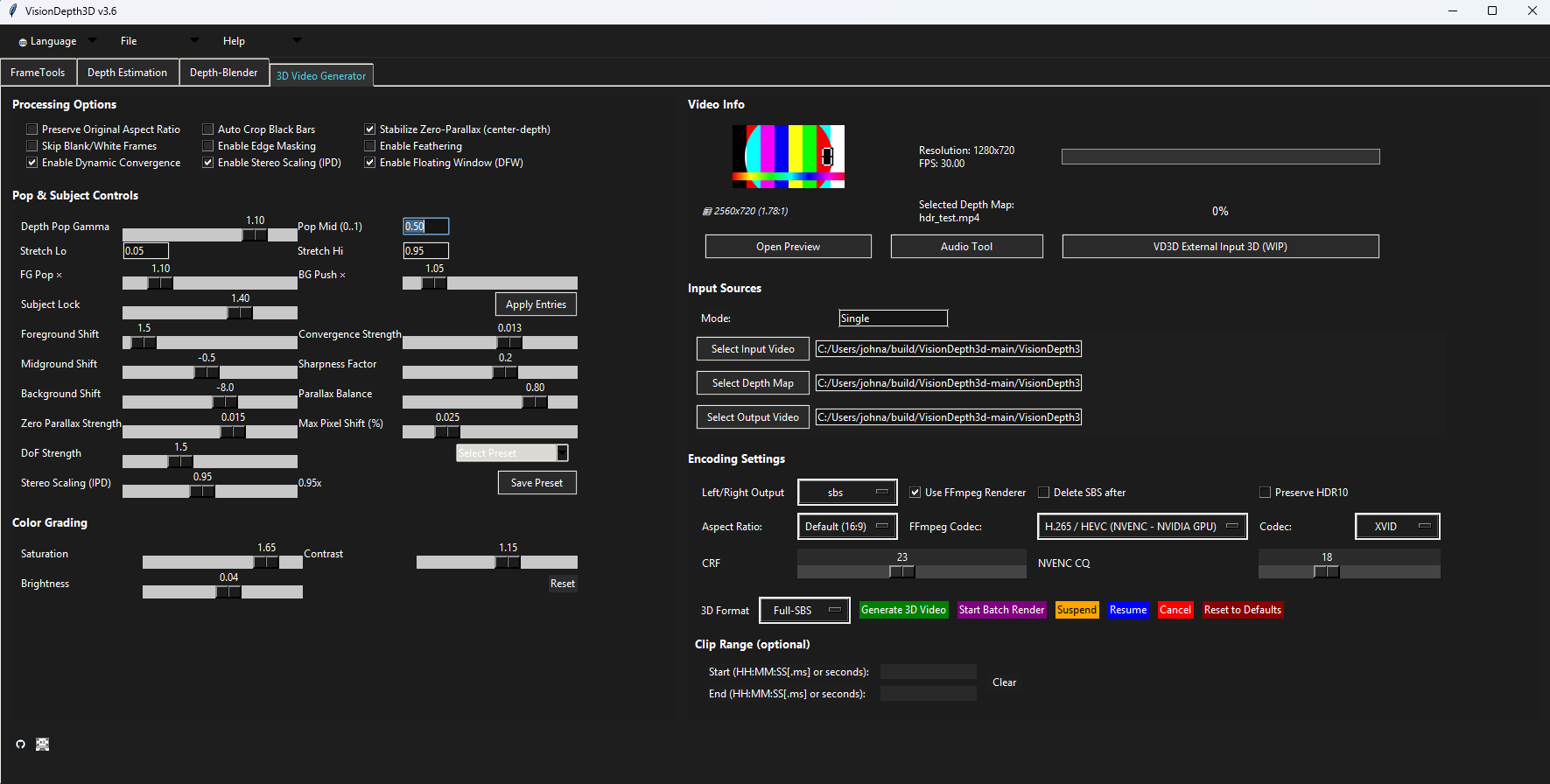
Built from AI depth + custom stereo logic. Designed for cinema in VR. Turn your 2D films and videos into immersive stereoscopic experiences, with creative control and processing on your own PC.

Free tier available $59.99 one-time Pro No subscription Local processing
Core processing pipeline
01
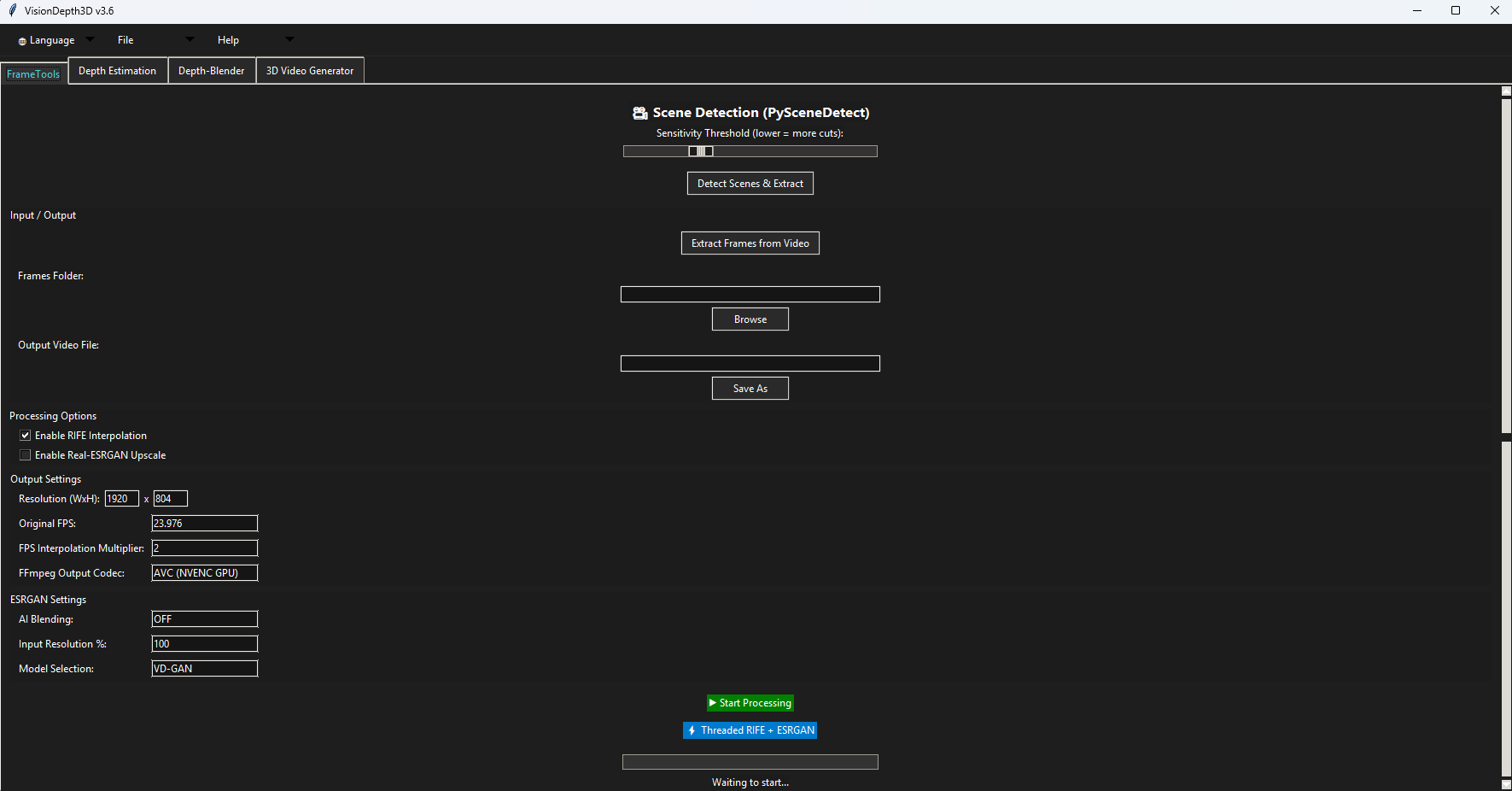
Upscale & Enhancement
Prepare your source video before depth generation.
02
Depth Generation
Generate a depth map with your chosen AI model.
03
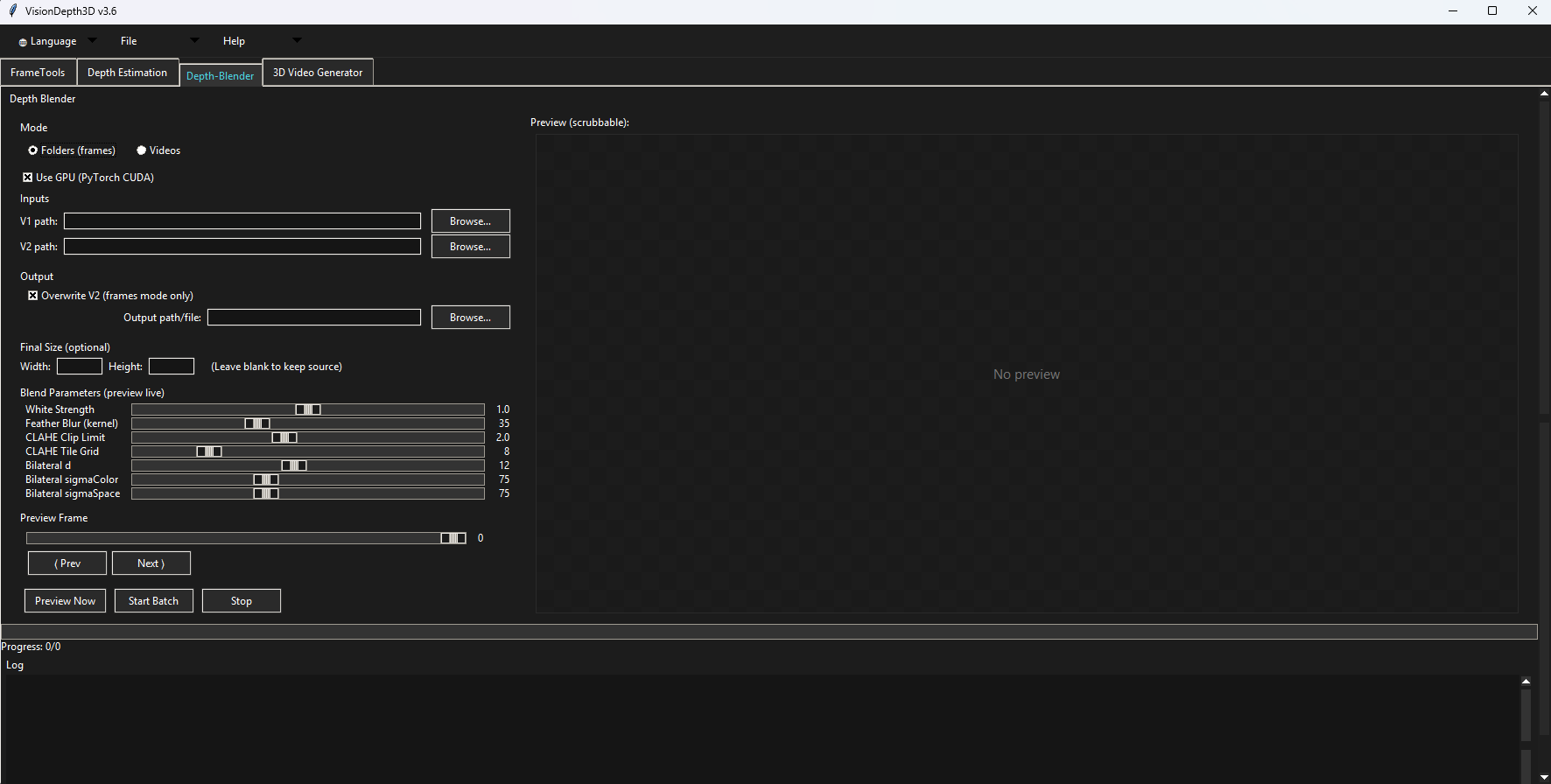
Depth Blending (Optional)
Optionally generate a second map with a different model and blend the two.
04
Final 3D Output
Generate stereo views from the video and final depth map, then export in 3D.
Built for serious 3D results

VisionDepth3D focuses on visual quality, creative control, and local processing workflows that respect your media pipeline.

  • Depth-driven stereo rendering designed for cinematic presentation
  • Flexible exports including SBS, anaglyph, interlaced, and VR-ready modes
  • Enhancement tools for sharper output, smoother motion, and cleaner depth results
Feature-rich conversion platform

A modern toolkit for depth-driven cinematic workflows

VisionDepth3D is more than a simple converter. It is a creator-focused media platform built around AI depth estimation, advanced stereo rendering, enhancement tools, and export flexibility for immersive viewing environments.

Advanced Depth Model Support

Work with a broad collection of modern depth estimation models including DPT, ZoeDepth, Depth Anything V2, Marigold, and additional compatible pipelines for scene understanding and depth extraction.

Support for 25+ depth model paths and workflows Compatible with PyTorch and ONNX-based setups Built for experimentation, refinement, and local control

Stereo Rendering Engine

Generate stereoscopic views with depth-weighted shifting, scene-aware control, and output-focused rendering designed to improve immersion while keeping comfort and structure in mind.

Depth Blending & Refinement

Combine depth maps from different AI models and refine the result before generating your 3D video.

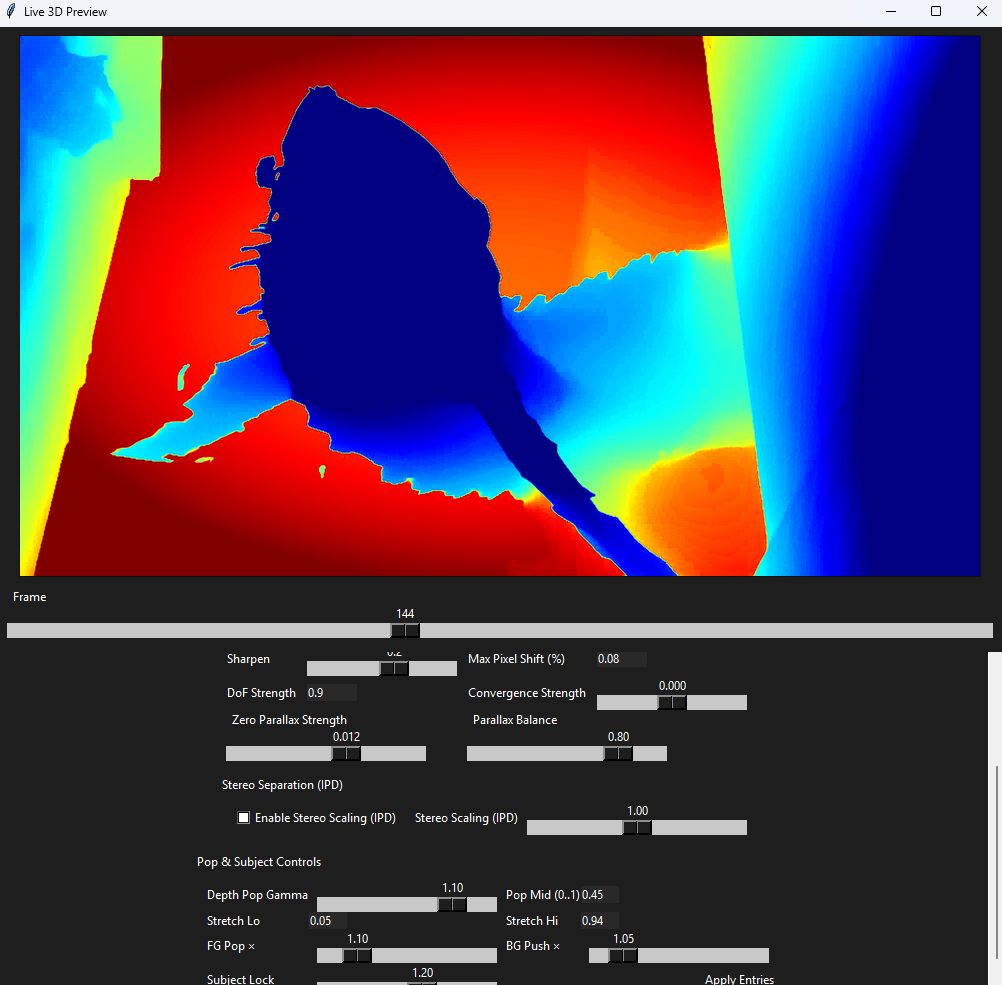
Live 3D Preview

Preview stereo output in real time across desktop and external display workflows.

Batch Rendering

Process folders, matched video-depth pairs, and larger media jobs with progress tracking.

Workflow Utilities

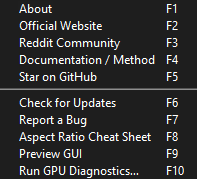
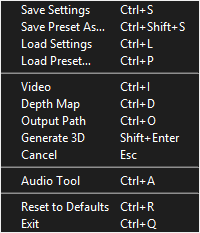
Use built-in frame tools, audio controls, hotkeys, and production-friendly utility panels.

Upscaling & Motion Smoothing

Enhance your source video with Real-ESRGAN upscaling and RIFE frame interpolation before depth generation.

Advanced Rendering Controls

Fine-tune windowing, zero parallax behavior, edge handling, scene response, and export options for a more deliberate and comfortable 3D presentation.

How it works

A refined pipeline from 2D source to immersive 3D output

Prepare and enhance your video first, generate depth, optionally blend maps from different models, then render your final 3D output.

01

Upscale & Enhancement

Load your source video and upscale or enhance it first, before generating depth maps.

02

Depth Generation

Generate a depth map from the prepared video using your chosen AI model.

03

Depth Blending (Optional)

For a blended result, generate a second depth map from the same prepared video using a different model. Combine the two maps in Depth Blender before stereo generation. Skip this step to use a single map.

04

Final 3D Output

Use the prepared video with your selected or blended depth map to generate left and right eye views, adjust the stereo settings, and export your final 3D video.

Pipeline visualization
01
Upscale & Enhancement

Prepare your source video before depth generation.

02
Depth Generation

Generate a depth map with your chosen AI model.

03
Depth Blending (Optional)

Optionally generate a second map with a different model and blend the two.

04
Final 3D Output

Generate stereo views from the video and final depth map, then export in 3D.

Using one depth map? Go straight from depth generation to final 3D output.

Half SBS Compact stereo delivery for broad compatibility
Full SBS Higher-resolution side-by-side export workflows
VR / Alt Modes Anaglyph, interlaced, and VR-oriented options
Why VisionDepth3D

Built for viewers and creators who want serious cinematic depth

VisionDepth3D stands apart by focusing on immersion, practical creative control, and a modern local-first workflow rather than treating 3D conversion as a novelty effect.

What makes the platform different

01

Depth-driven, not surface-level

VisionDepth3D is designed around real depth workflows, letting users work with model output, blend maps, and refine how scene structure drives stereo conversion.

02

Focused on cinematic comfort

Rendering tools emphasize more stable depth behavior, better control over parallax, and a more considered viewing experience across longer-form content.

03

Designed for control and iteration

From model selection to export format, the workflow supports experimentation without removing the practical knobs advanced users expect.

04

Local-first processing

No forced cloud workflow, no dependency on remote rendering, and no need to send sensitive media to external services just to create immersive output.

VisionDepth3D strengths

  • AI depth workflows with multiple model optionsIncluded
  • Advanced stereo rendering and 3D export flexibilityIncluded
  • Enhancement tools for upscale and motion refinementIncluded
  • Collector and enthusiast-friendly local workflowIncluded
  • Built for film, archive, and immersive playback use casesIncluded

Platform positioning

VisionDepth3D is aimed at users who care about output quality, depth fidelity, viewing comfort, and the flexibility to shape their own 3D workflow.

  • Creators and editorsProduction-ready
  • Film enthusiasts and collectorsPremium fit
  • Desktop power usersLocal workflow
  • Immersive media experimentationDepth-focused

The VD3D Hybrid3D Method

The VD3D Hybrid3D Method combines continuous depth-driven stereo warping with depth-ordered reconstruction, subject-aware control, edge-sensitive protection, temporal stabilization, and GPU-accelerated processing for stronger spatial structure and cleaner 3D results.

Free vs Pro

Start free. Unlock the full studio for $59.99 USD

VisionDepth3D Free gives you a functional way to test the core local 2D-to-3D workflow. Upgrade once to Pro when you are ready for watermark-free output, advanced controls, batch processing, VR workflows, enhancement tools, and individual professional or commercial use.

Explore the core workflow

VisionDepth3D Free

$0
No license key
required

Built for testing, evaluation, personal projects, and learning how the VisionDepth3D workflow performs on your own media and hardware.

  • Single video 3D conversion up to 3 minutes
  • Single image 3D conversion
  • Single image and video depth generation
  • Half-SBS, Full-SBS, and Anaglyph output
  • Basic 3D Assistant and depth preview tools
  • Basic Depth Blender image workflow
  • RIFE interpolation up to 2× and frame extraction
  • Local processing with output up to 1080p
Download Free · CUDA Download Free · DirectML
Free exports include a VisionDepth3D watermark.
One-time license
Complete creator workflow

VisionDepth3D Pro

$59.99
USD one time
No subscription

Unlock the full individual desktop production workflow with fewer limits, deeper control, advanced output options, and no Free-tier watermark.

  • No 3-minute Free-tier video limit
  • No fixed Free-tier output-height limit
  • Watermark-free exports
  • Batch video and image-folder processing
  • Advanced keyframes, scene detection, and stereo tuning
  • VR, VR180, passive interlaced, and Live 3D workflows
  • Real-ESRGAN, higher FPS multipliers, and threaded processing
  • Job queue, advanced encoding, and expanded model access
  • Individual professional and commercial use
Upgrade to Pro — $59.99
Activate Pro in the same desktop application with your license key.

Feature comparison

Key differences at a glance
Feature Free Pro
3D Generator and Depth Engine Included Included
Single video conversion Up to 3 minutes No fixed limit
Maximum output height Up to 1080p No fixed limit
Watermark Applied None
Half-SBS, Full-SBS, and Anaglyph Included Included
VR, VR180, and passive interlaced output Locked Included
Batch video and image-folder workflows Locked Included
Advanced keyframes and scene detection Locked Included
Real-ESRGAN and higher FPS multipliers Locked Included
Live 3D and job queue Locked Included
Professional and commercial use Not included Individual use included
Local/private desktop processing Included Included
A Pro license unlocks VisionDepth3D software features; it does not transfer ownership of VisionDepth3D or override third-party model, library, tool, or media licenses. Users must have the rights required for the media they process. Team, studio, company-wide, hosted-service, resale, redistribution, and custom business use may require written permission or a separate agreement.
Download and activate

Download Free now. Upgrade inside the same app.

Install VisionDepth3D Free to test the core local workflow. When you purchase Pro for $59.99 USD, activate your license key in the same desktop application to unlock the complete production toolset.

Recommended environment

  • Windows 10 or 11 desktop workflow
  • 16 GB RAM recommended for smoother media handling
  • NVIDIA GTX 10 series or newer recommended
  • CUDA acceleration for stronger processing speed

Supported output formats

  • Half Side by Side
  • Full Side by Side
  • VR180 equirect TB and SBS
  • Anaglyph and interlaced exports

Free download

  • Core single-video and single-image 3D workflow
  • Single-image and video depth generation
  • Half-SBS, Full-SBS, and Anaglyph output
  • Local processing with no required cloud rendering

Pro activation

VisionDepth3D Pro is a $59.99 USD one-time purchase. Enter your license key in the desktop app to remove Free-tier limits and unlock the full individual production workflow.

Support and project access

Explore official releases, documentation, updates, community feedback, and issue reporting through GitHub and Itch.io.

Now Available Android TV App Coming Soon

Meet VisionVault

VisionVault is now available as a companion platform from the VisionDepth brand, built for movie collection management and discovery. Designed for collectors and media enthusiasts, it expands the VisionDepth ecosystem beyond conversion and into organization, browsing, and connected library experiences.

The Collector App and Web UI are available now, giving users a premium way to organize, explore, and access their film libraries across devices. The Android TV app is still in development and coming soon, bringing the VisionVault experience to the big screen.

Collector app available now for managing and exploring personal film libraries Web UI available now for connected browsing, discovery, and multi-device access Android TV app coming soon for a cinematic living-room experience A premium collector ecosystem built to extend the VisionDepth experience
Download Here VisionVault v1.1.0 · GitHub release
VisionVault / Collector App
VisionVault application showing a movie collection, title search, import controls and a selected film's poster and synopsis.
Browse your collection and explore movie details in VisionVault.
FAQ

Answers for creators, collectors, and power users

A few of the most common questions around performance, compatibility, licensing, and workflow flexibility.

Does VisionDepth3D run on AMD or Apple GPUs?

VisionDepth3D can run on CPU across supported environments, but GPU acceleration is currently centered on NVIDIA through CUDA and ONNX-oriented workflows. Alternative backends may be possible where supported, while broader Apple Silicon and expanded GPU options remain future-facing development targets.

Can I use my own depth model?

Yes. Advanced users can add compatible model weights and integrate supported depth workflows depending on the model format. Both PyTorch and ONNX-oriented paths are part of the broader design philosophy for flexible local experimentation.

Is VisionDepth3D Pro a subscription?

No. VisionDepth3D Pro is a one-time $59.99 USD license purchase with no recurring subscription fee. The license key unlocks Pro features in the same desktop application used by the Free tier.

What is included in VisionDepth3D Free?

Free includes the core single-video and single-image 3D workflow, depth generation, Half-SBS, Full-SBS, Anaglyph output, basic guided controls, basic depth tools, frame extraction, and RIFE interpolation up to 2×. Free video renders are limited to 3 minutes, output height is limited to 1080p, and exports include a VisionDepth3D watermark.

What does upgrading to Pro unlock?

Pro removes the Free-tier video-length, output-height, and watermark limits. It also unlocks batch workflows, advanced keyframes, scene detection, advanced stereo and encoding controls, VR and VR180 output, passive interlaced output, Live 3D, full Depth Blender workflows, Real-ESRGAN, higher FPS multipliers, threaded processing, the job queue, and expanded official model access.

Can I use VisionDepth3D Pro commercially?

Pro includes individual professional and commercial use of VisionDepth3D software features and rendered outputs, provided you have the necessary rights to the input media and comply with all third-party model, library, tool, and media licenses. Team, studio, company-wide, hosted-service, resale, redistribution, and custom business use may require written permission or a separate agreement.

Where can I get support or follow development?

Support and project visibility are available through GitHub, the Itch.io page, and related project channels. Those platforms are the best places to track updates, releases, and issue reporting.
License and usage

Clear terms for a serious software platform

VisionDepth3D uses a Free and Pro desktop license structure. Free supports evaluation and personal use, while Pro unlocks individual professional and commercial production rights subject to the full license and all third-party terms.

Free Tier

Free supports personal testing, evaluation, casual use, and use of the core workflow within the limits described on this page and in the license agreement.

Pro Tier

A $59.99 USD one-time Pro license unlocks the full individual desktop workflow and individual professional or commercial use of supported software features and rendered outputs.

Restrictions

Redistribution, resale, sublicensing, reverse engineering, and derivative works are restricted under the stated license terms.

Teams and Studios

Team, studio, company-wide, hosted-service, resale, redistribution, or custom business use may require written permission or a separate commercial agreement.

Third-Party Components

External frameworks, models, and supporting tools remain governed by their respective licenses and requirements.

Warranty

The software is provided as is, without warranty of any kind, whether express or implied.

Full license: LICENSE on GitHub · Studio or custom licensing: redsky90@gmail.com